Summary: MakesBridge offers a full set of marketing automation features with some special strengths that will appeal especially to small companies.
I’ve written quite a bit recently about marketing systems for very small businesses – a category I’ve tentatively labeled “micro-business” and pegged at under $5 million revenue. This group of marketers has different needs from even slightly larger companies. In particular, they want a highly-integrated combination of standard marketing automation (email, landing pages and individual-level Website behavior tracking) with customer relationship management (tracking personal and telephone contacts with individuals). Leaders in the space are Infusionsoft and OfficeAutoPilot, which both also provide integrated shopping carts for e-commerce. HubSpot also has many micro-business clients but is not focused on them exclusively and – probably as a result – has a slightly different feature set: more Web traffic generation and no built-in contact management or shopping cart.
There are plenty of other vendors serving micro-businesses. I’ve previously reviewed Genoo, which supplements the standard marketing automation features with Web hosting and built-in CRM but no shopping cart. Canterris , NurtureHQ , and mKubed all provide email, Web visitor tracking, nurture campaigns, lead scoring, and CRM integration ((Salesforce.com for Canterris and NurtureHQ; its own CRM for mKubed) for under $500 per month. Canterris and mKubed also host Web forms and landing pages but NurtureHQ apparently does not. See my List of Demand Generation Vendors for other options.
MakesBridge is another contender. The company started in 2001 as an email service provider and still offers a $29.95 per month email product. It greatly expanded its features in 2010 and now offers a marketing automation system starting at $500 per month. This includes the full rig: outbound email, multi-step nurture campaigns, landing pages and forms, lead scoring, Web visitor tracking (licensed from VisiStat and quite impressive), and a sales automation module that can work as a stand-alone CRM system or integrate with Salesforce.com, NetSuite, Google Apps, or Capsule CRM, a $12 per month per user system also aimed at small business. There’s no shopping cart or Web site hosting but I don’t yet consider those standard features, even for micro-business systems.
MakesBridge does a particularly good job of taming the mass of Web pages that are critical to reacting to lead behaviors. It does this by letting users write rules that reference sets of Web pages rather than individual pages. This can be done by either assigning a shared label to several pages or by assigning page attributes and selecting on those. This is a helpful middle ground between rules that treat all pages the same (e.g. “visited any Web page”) and those that require users to list a specific page or several individual pages. These rules can be used in segmentation, lead scoring, and sales alerts.
The system also has a solid campaign engine, which breaks campaigns into steps and allows multiple options within each step. Each option has a filter that determines which leads are eligible, in addition to actions and an execution schedule that apply to those leads. Users can view reports on performance for each step and for each option within the step. A “circuit breaker” enforces limits on the total number of emails sent during any time period, alerting the user and limiting the damage from what MakesBridge calls "automation run wild".
MakesBridge also supports automated direct mail production, another feature favored by micro-business marketers. For this, the company has integrated with Cloud2You, a Salesforce.com App Exchange partner that loads selected records directly into templates to produce personalized mailing pieces. Cloud2You handles the actual printing and mailing without any additional effort by the user. Mailings can be triggered by steps within a MakesBridge campaign,
The sales automation module gives salespeople access to detailed information about their leads, including their current campaigns. Salespeople can remove a lead from a campaign, suspend the campaign, or skip a particular message. Although MakesBridge is designed to integrate with external CRM products, some clients use its sales automation module as their primary CRM system.
Pricing of MakesBridge is based on the modules used, number of users, email volume, and number of leads in the database. The system currently has more than 150 clients. Most are small businesses but some are large corporations.
Tuesday, April 26, 2011


Wednesday, April 20, 2011
Argyle Social Helps to Track Social Media Results
Summary: Argyle Social offers social media marketing with above-average features for tracking results.
I’ve had a couple of conversations in recent months with Argyle Social, one of the zillions* of companies offering social media marketing tools. Argyle’s particular focus is making social media measurable. It does this in two ways:
- embedding trackable URLs in social messages. The system provides a social media publishing tool that automatically creates links with embedded Google-Analytics-compatible identifiers for campaign, content, and source. This overcomes the fact that social media traffic often can’t be tied to a referring Web site. The identifiers can also include custom parameters for other Web analytics packages. The URLs are sent to an Argyle-controlled destination which logs the traffic before redirecting the Web visitor to the original target page.
- adding cookies to visitors’ computers when they view Argyle-generated social media content, and checking for those cookies when visitors reach a “conversion” page (i.e., make a purchase or take some other targeted action). The conversion pages can be created outside of Argyle but must contain Argyle tags. Results are used to identify visitors who are "influenced" by social media.
Argyle uses its tracking features to generate reports on direct responses to social media campaigns (i.e., clicks on Argyle-generated messages) and on influenced responses (i.e., conversions of visitors whose cookie shows they previously saw social content). Although this is far from the ideal of measuring the true incremental impact of a campaign, it's a step in the right direction. It also provides data that could be the foundation of a more sophisticated analysis.
These features are not technically difficult, so it's quite possible they're available in some other social media systems. But that matters less than knowing they're available in Argyle if you need them.
Argyle's tracking features are combined with a publishing interface that lets users set up accounts, create posts, and deliver them immediately or on schedule. It can currently post to Facebook, Twitter and Linked In. It can also scan for social messages containing specified keywords and store these messages for future reference. The publishing features don’t yet include enterprise-level capabilities such as response templates, approval work flows, case management, or relationship tracking, although these are on the horizon. A rules-based inbox filtering feature will launch tomorrow.
Argyle launched its product at the end of last year and is nearing 100 customers. A basic edition (three users, ten social properties, one conversion goal, one inbox filtering rule) is priced at $149 per month and the advanced edition (five users, unlimited social properties, five goals, ten advanced rules) costs $499 per month.
__________________________________________________________________________________
*at last count. Here are the first three lists I found via a Google search, plus others whose authors were SEO-savvy enough to find a nice, round 100, and one with a cool infographic:
[INFOGRAPHIC] What Are The Best Social Media Monitoring Tools?
22 Social Media Marketing Management Tools (Lee Odden)
42+ Social Media Marketing Tools (Joe Pulizzi)
List of Social Media Management Systems (SMMS) (Jeremiah Owyang)
100+ Social Media Monitoring Tools (Pam Dyer)
Top 100 social media monitoring tools (juanmarketing)
I’ve had a couple of conversations in recent months with Argyle Social, one of the zillions* of companies offering social media marketing tools. Argyle’s particular focus is making social media measurable. It does this in two ways:
- embedding trackable URLs in social messages. The system provides a social media publishing tool that automatically creates links with embedded Google-Analytics-compatible identifiers for campaign, content, and source. This overcomes the fact that social media traffic often can’t be tied to a referring Web site. The identifiers can also include custom parameters for other Web analytics packages. The URLs are sent to an Argyle-controlled destination which logs the traffic before redirecting the Web visitor to the original target page.
- adding cookies to visitors’ computers when they view Argyle-generated social media content, and checking for those cookies when visitors reach a “conversion” page (i.e., make a purchase or take some other targeted action). The conversion pages can be created outside of Argyle but must contain Argyle tags. Results are used to identify visitors who are "influenced" by social media.
Argyle uses its tracking features to generate reports on direct responses to social media campaigns (i.e., clicks on Argyle-generated messages) and on influenced responses (i.e., conversions of visitors whose cookie shows they previously saw social content). Although this is far from the ideal of measuring the true incremental impact of a campaign, it's a step in the right direction. It also provides data that could be the foundation of a more sophisticated analysis.
These features are not technically difficult, so it's quite possible they're available in some other social media systems. But that matters less than knowing they're available in Argyle if you need them.
Argyle's tracking features are combined with a publishing interface that lets users set up accounts, create posts, and deliver them immediately or on schedule. It can currently post to Facebook, Twitter and Linked In. It can also scan for social messages containing specified keywords and store these messages for future reference. The publishing features don’t yet include enterprise-level capabilities such as response templates, approval work flows, case management, or relationship tracking, although these are on the horizon. A rules-based inbox filtering feature will launch tomorrow.
Argyle launched its product at the end of last year and is nearing 100 customers. A basic edition (three users, ten social properties, one conversion goal, one inbox filtering rule) is priced at $149 per month and the advanced edition (five users, unlimited social properties, five goals, ten advanced rules) costs $499 per month.
__________________________________________________________________________________
*at last count. Here are the first three lists I found via a Google search, plus others whose authors were SEO-savvy enough to find a nice, round 100, and one with a cool infographic:
[INFOGRAPHIC] What Are The Best Social Media Monitoring Tools?
22 Social Media Marketing Management Tools (Lee Odden)
42+ Social Media Marketing Tools (Joe Pulizzi)
List of Social Media Management Systems (SMMS) (Jeremiah Owyang)
100+ Social Media Monitoring Tools (Pam Dyer)
Top 100 social media monitoring tools (juanmarketing)
Wednesday, April 13, 2011
Step-by-Step Guide to Selecting the Right Marketing Automation System - Part 2
Yesterday' post described the first three steps in Raab Associates' vendor selection process: defining requirements, researching options, and testing vendors against scenarios. This post lists the four steps needed to complete the task. As before, there's a worksheet for each step that can be a model for your own, more detailed version. And remember, the complete set is available for free in our Vendor Selection Workbook in the Resource Library at the Raab Guide Web site.
4. Talk To References
This is an often-overlooked source of insight. The question isn’t whether the references are happy, but whether your situations are similar enough that you’re likely to be happy as well. Find out whether the reference is using the system functions you care about, how long they took to get started, the amount of training and process change required, what problems they had, and how the vendor responded.
5. Consider A Trial
Nearly all marketing automation vendors will let you try their system for a limited period. Trials are a great way to learn what it’s really like to use a system, but only if they are managed effectively. This means you need to invest in training and then set up and execute actual projects. As with scenario demonstrations, you may still rely on the vendor to handle some of the more demanding aspects of the project, but, again, make sure you see how hard it will eventually be to do them for yourself.
6. Make A Decision
Don’t let the selection process drag on. Selection is a means to an end, not a goal in itself. Unless you have very specialized needs, there are probably several marketing automation systems that will meet your requirements. Look at your key criteria and assess how well each vendor matches them – bearing in mind that a system can be too powerful as well as too simple. Once you’ve found one that you are confident will be sufficient, go ahead and buy it. Then you can start on what’s really important: better marketing results.
7. Invest In Deployment
Marketing automation systems allow major improvements in marketing results. But those improvements require more than just a new system. If you don’t already have a formal description of the stages that prospects move through to become buyers, build one and instrument your systems to measure it. Use the stages as a framework to plan, design and develop a balanced set of marketing programs. Invest in the staff training and content to execute those programs successfully. Document and improve internal marketing processes. Work closely with sales to define lead scoring rules, hand-off mechanisms and service levels, and ways to capture results. Build measurement systems and use them to hold marketers at every level of the department responsible for results they control. Bring in outside resources, such as agencies and consultants, when you lack the internal expertise or time to do the work in-house.
4. Talk To References
This is an often-overlooked source of insight. The question isn’t whether the references are happy, but whether your situations are similar enough that you’re likely to be happy as well. Find out whether the reference is using the system functions you care about, how long they took to get started, the amount of training and process change required, what problems they had, and how the vendor responded.
| Issue | Questions to ask |
| System fit vs. my needs | What kinds of programs do you run with the system? |
| How many programs do you run each month? | |
| How many people at your company use the system? | |
| System reliability | How often has the system been unavailable? |
| What kinds of bugs have you run into? | |
| Ease of use | How much training did you need to use the system? |
| What kinds of tasks need outside help to accomplish? | |
| How long does it take to set up different kinds of programs? | |
| Vendor support | How well does the vendor respond when you ask for help? |
| How quickly do problems get solved? | |
| Does the vendor ever offer assistance before you ask? | |
| What help does the vendor provide with email deliverability? | |
| Cost | Did you negotiate any special pricing? |
| Did you pay extra for implementation and on-going support? | |
| Were there any unexpected costs after you started? |
5. Consider A Trial
Nearly all marketing automation vendors will let you try their system for a limited period. Trials are a great way to learn what it’s really like to use a system, but only if they are managed effectively. This means you need to invest in training and then set up and execute actual projects. As with scenario demonstrations, you may still rely on the vendor to handle some of the more demanding aspects of the project, but, again, make sure you see how hard it will eventually be to do them for yourself.
| What you can learn from a trial | How hard it is to install the system |
| How hard it is to set up a campaign | |
| How hard it is to make changes and reuse materials | |
| What features are available or missing (if you test them) | |
| Quality of training classes and materials (if you try them) | |
| What you can’t learn from a trial | How the system handles large volumes of data, users, etc. |
| Results from complex or long-running campaigns | |
| Accuracy of scoring and reports | |
| Quality of customer service and support | |
| Quality of vendor partners (agencies, integrators, etc.) |
6. Make A Decision
Don’t let the selection process drag on. Selection is a means to an end, not a goal in itself. Unless you have very specialized needs, there are probably several marketing automation systems that will meet your requirements. Look at your key criteria and assess how well each vendor matches them – bearing in mind that a system can be too powerful as well as too simple. Once you’ve found one that you are confident will be sufficient, go ahead and buy it. Then you can start on what’s really important: better marketing results.
| Selection criteria | Key factors | Vendor Fit | ||
| Too Little | Appropriate | Too Much | ||
| Functions | Outbound email | |||
| Landing page and forms | ||||
| Web behavior tracking | ||||
| Lead scoring | ||||
| Multi-step campaigns | ||||
| Sales integration | ||||
| Reporting and analysis | ||||
| Usability | Easy to learn | |||
| Efficient to use | ||||
| Technology | Easy installation | |||
| Flexibility | ||||
| Cost | Direct (software and support) | |||
| Indirect (staff, training, services) | ||||
| Predictable | ||||
| Expansion costs | ||||
| Vendor | Staff resources | |||
| Product plans | ||||
| Financial stability | ||||
7. Invest In Deployment
Marketing automation systems allow major improvements in marketing results. But those improvements require more than just a new system. If you don’t already have a formal description of the stages that prospects move through to become buyers, build one and instrument your systems to measure it. Use the stages as a framework to plan, design and develop a balanced set of marketing programs. Invest in the staff training and content to execute those programs successfully. Document and improve internal marketing processes. Work closely with sales to define lead scoring rules, hand-off mechanisms and service levels, and ways to capture results. Build measurement systems and use them to hold marketers at every level of the department responsible for results they control. Bring in outside resources, such as agencies and consultants, when you lack the internal expertise or time to do the work in-house.
| Goal | Tasks |
| Balanced set of marketing programs | Define lead lifecycle (buying process and buyer roles) |
| Map existing programs to process stages and identify gaps | |
| Prioritize new programs to close gaps | |
| Execute programs and measure results | |
| Refine programs with versions for different segments | |
| Measurement | Track leads through stages in the buying process |
| Import revenue from sales systems | |
| Link revenue to lead source (acquisition programs) | |
| Measure incremental impact (nurture programs) | |
| Project future revenue from current lead inventory | |
| Process management | Define processes to execute marketing programs |
| Identify tasks and responsibilities within each process | |
| Define measures to capture task performance | |
| Assess existing processes and possible improvements | |
| Monitor execution, test improvements, check results, repeat | |
| Sales alignment | Identify key contacts between sales and marketing |
| Agree on process for lead qualification, transfer to sales | |
| Agree on measures for lead quality, revenue attribution | |
| Deploy agreed processes, monitor results, review regularly | |
| Staff training | Define skills needed to deploy new system |
| Assess existing staff skills and identify gaps | |
| Plan initial training to close gaps | |
| Plan on-going training to maintain and expand skills |
Tuesday, April 12, 2011
Step-by-Step Guide to Selecting the Right Marketing Automation System - Part 1
Choosing a marketing automation system is a major decision. A disciplined selection process is essential to make a sound selection. This series of posts presents the seven-step methodology we use at Raab Associates, along with related worksheets. The first three are below.
For a complete list of the steps, worksheets, and background materials, visit the Raab Guide Website and download the Vendor Selection Workbook from the Resource Library (registration required).
1. Define Requirements
Create a list of your goals in buying the system. Relate these to financial values when possible. Then define how you’ll use the system to meet these goals, being as specific as you can about the actual processes involved. Be sure to include processes beyond what you do already: one of the reasons you’re looking at marketing automation is to expand what your department can accomplish. Your requirements are based on the tasks you must perform to meet your goals.
2. Research Your Options
Raab Associates’ B2B Marketing Automation Vendor Selection Tool (VEST) provides a good starting point for matching possible vendors to your requirements. In particular, match the scale and sophistication of your marketing operations to the different buyer segments used in the report. Bear in mind that company size alone doesn’t necessary predict the depth of your requirements: small businesses can run complex marketing programs, and large business programs may be simple.
3. Test Vendors Against Scenarios
Develop scenarios that describe actual marketing projects you expect to run through the system, and have the most promising vendors demonstrate how they would execute them. Scenarios based on your own needs are critical for understanding how well each system would function in your own environment. Be sure that some scenarios describe your more complicated processes, since these are most likely to highlight differences among systems. If vendor staff executes the scenarios for you, be sure to understand how much the vendor built in advance. This ensures that you get an accurate sense of the total work effort involved.
The next post in this series will present additional steps in our process.
For a complete list of the steps, worksheets, and background materials, visit the Raab Guide Website and download the Vendor Selection Workbook from the Resource Library (registration required).
1. Define Requirements
Create a list of your goals in buying the system. Relate these to financial values when possible. Then define how you’ll use the system to meet these goals, being as specific as you can about the actual processes involved. Be sure to include processes beyond what you do already: one of the reasons you’re looking at marketing automation is to expand what your department can accomplish. Your requirements are based on the tasks you must perform to meet your goals.
| Goals | Related Requirements |
| Generate more leads | Manage online and offline advertising campaigns |
| Import email address lists and send personalized emails | |
| Monitor and publish to social media | |
| Build and deploy landing pages to capture responses | |
| Use IP address to identify the company of Web site visitors | |
| More effective nurturing | Capture the source and Web site activities of each visitor |
| Create Web forms to gather information about visitors | |
| Score visitors based on form responses and Web behaviors | |
| Execute multi-step campaigns tailored to different groups | |
| Use visitor behavior to trigger campaigns and other actions | |
| Better sales integration | Synchronize data between sales and marketing systems |
| Send leads to sales based on lead score and actions | |
| Send alerts to sales based on Web site behaviors | |
| Report on revenue generated by leads from marketing | |
| More efficient marketing operations | Store marketing materials and share across programs |
| Track planned and actual costs of marketing programs | |
| Manage tasks and approvals during program development |
2. Research Your Options
Raab Associates’ B2B Marketing Automation Vendor Selection Tool (VEST) provides a good starting point for matching possible vendors to your requirements. In particular, match the scale and sophistication of your marketing operations to the different buyer segments used in the report. Bear in mind that company size alone doesn’t necessary predict the depth of your requirements: small businesses can run complex marketing programs, and large business programs may be simple.
| Company Type | Key System Features |
| Micro-business | Outbound email and multi-step nurture campaigns |
| Landing pages and forms | |
| Built-in sales and service features | |
| Built-in or integrate with third party ecommerce and shopping cart | |
| Small to mid-size business | Outbound email and multi-step nurture campaigns |
| Landing pages and forms | |
| Web site visitor tracking | |
| Lead scoring (one score per lead) | |
| Integrate with external sales automation system | |
| Large business | Outbound email and multi-step nurture campaigns |
| Landing pages and forms | |
| Web site visitor tracking | |
| Lead scoring (multiple scores per lead) | |
| Integrate with external sales automation system | |
| Manage marketing budgets, program tasks and approvals | |
| Add custom tables with data from many sources | |
| Limit different users to different tasks and programs |
3. Test Vendors Against Scenarios
Develop scenarios that describe actual marketing projects you expect to run through the system, and have the most promising vendors demonstrate how they would execute them. Scenarios based on your own needs are critical for understanding how well each system would function in your own environment. Be sure that some scenarios describe your more complicated processes, since these are most likely to highlight differences among systems. If vendor staff executes the scenarios for you, be sure to understand how much the vendor built in advance. This ensures that you get an accurate sense of the total work effort involved.
| Scenario | Steps |
| Outbound email campaign | Import list from CSV file, from Excel |
| Compose personalized emails with embedded graphics | |
| Create landing page with data entry form | |
| Set automated email response to form submissions | |
| Set rules to score leads and send qualified leads to sales | |
| Report on results: sent, opened, clicked, completed form | |
| Nurture campaign | Set start and end date for campaign |
| Set rules to select leads, based on attributes and behaviors | |
| Set priority of campaign vs. other campaigns | |
| Define multi-step flow with wait periods between steps | |
| Set rules for different treatments for segments within steps | |
| Set rules to score leads and send qualified leads to sales | |
| Create emails, landing pages, and forms | |
| Report on results including leads to sales and revenue | |
| Revenue reporting | Define stages in lead lifecycle |
| Define rules to assign leads to lifecycle stages | |
| Report on movement of leads through lifecycle stages | |
| Set up process to import revenue from sales system | |
| Define rules to link revenue to campaigns | |
| Define rules to estimate incremental revenue per campaign | |
| Report on revenue generated per campaign | |
| Capture campaign costs | |
| Report on campaign revenue vs. campaign cost |
The next post in this series will present additional steps in our process.
Monday, April 11, 2011
[x+1] NexTargeting Conference: Cross-Channel Attribution and Online Ad Scalability Remain Hot Topics
Continuing my adventures in online ad measurement, I attended [x+1]’s NexTargeting Summit last week. This reinforced and refined my conclusions from last month’s OMMA Metrics conference, which identified the burning industry issues as:
- better understanding of the interactions between online and offline events (both advertising and results), and
- better scalability for successful online advertising programs.
The online / offline connection was covered by MarketShare CEO Jon Vein, who presented studies that showed including the “indirect impact” of online display ads can dramatically improve their reported return on investment. He also said his firm has found that marketing mix models with complete data can explain as much as 98% of the variance in revenue, while optimization based on mix models can typically improve marketing effectiveness by 10% to 15%. Although I don’t recall Vein mentioning it during his actual presentation, he did tell me in a side conversation that his firm purchased JovianData last year in order to expand its ability to work with individual-level data. MarketShare and [x+1] announced an alliance last month to combine MarketShare’s cross-channel analytics with [x+1]’s digital targeting.
Scalability was covered [x+1] itself, which announced extension of its Media+1 audience targeting platform to combine information from direct media buys and ad exchanges. The relationship between that extension and scalability is a bit complicated, but it boils down to this: combined information lets marketers control the number of ads served to individual consumers across both types of media buys, which segment-level purchases do not. This means that marketers can expand their budgets by targeting ads to new individuals (=effective scaling) rather than bombarding the same people with more messages (=ineffective scaling). That this mimics the reach and frequency measures used in traditional mass marketing (i.e., television) is a happy bonus.
I’ve skipped some of the subtleties of the Media+1 product. These include tracking the degree of overlap between the audiences of different direct-buy Web purchases; identifying optimal message frequency by customer segment; using direct-buy Web sites to establish a base of impressions and then supplementing these on a customer-by-customer basis through real time bidding on ad exchanges; and using scorecards to track performance after initial customer acquisition. The bottom line on Media+1’s beta client was reallocating 40% of the online ad budget to achieve a 20% improvement in results.
[x+1] also used the conference to announce an even broader product, called [x+1] Origin, scheduled for release this summer. This will build a customer-level data hub that combines data and sends targeted messages across display ads, Web site, email, and mobile. I asked [x+1] CEO John Nardone whether it’s actually possible to identify the same customer across all those channels, and he said it’s not an issue in many cases, since you can often give the customer a reason to log in or otherwise identify herself.
Of course, the big exception is acquisition, which seems like a pretty big exception indeed. (“Other than that, how did you like the play, Mrs. Lincoln?”) But tracking mechanisms do get better all the time and there’s plenty of value in better treatment within existing customer relationships. So it’s definitely a good start.
- better understanding of the interactions between online and offline events (both advertising and results), and
- better scalability for successful online advertising programs.
The online / offline connection was covered by MarketShare CEO Jon Vein, who presented studies that showed including the “indirect impact” of online display ads can dramatically improve their reported return on investment. He also said his firm has found that marketing mix models with complete data can explain as much as 98% of the variance in revenue, while optimization based on mix models can typically improve marketing effectiveness by 10% to 15%. Although I don’t recall Vein mentioning it during his actual presentation, he did tell me in a side conversation that his firm purchased JovianData last year in order to expand its ability to work with individual-level data. MarketShare and [x+1] announced an alliance last month to combine MarketShare’s cross-channel analytics with [x+1]’s digital targeting.
Scalability was covered [x+1] itself, which announced extension of its Media+1 audience targeting platform to combine information from direct media buys and ad exchanges. The relationship between that extension and scalability is a bit complicated, but it boils down to this: combined information lets marketers control the number of ads served to individual consumers across both types of media buys, which segment-level purchases do not. This means that marketers can expand their budgets by targeting ads to new individuals (=effective scaling) rather than bombarding the same people with more messages (=ineffective scaling). That this mimics the reach and frequency measures used in traditional mass marketing (i.e., television) is a happy bonus.
I’ve skipped some of the subtleties of the Media+1 product. These include tracking the degree of overlap between the audiences of different direct-buy Web purchases; identifying optimal message frequency by customer segment; using direct-buy Web sites to establish a base of impressions and then supplementing these on a customer-by-customer basis through real time bidding on ad exchanges; and using scorecards to track performance after initial customer acquisition. The bottom line on Media+1’s beta client was reallocating 40% of the online ad budget to achieve a 20% improvement in results.
[x+1] also used the conference to announce an even broader product, called [x+1] Origin, scheduled for release this summer. This will build a customer-level data hub that combines data and sends targeted messages across display ads, Web site, email, and mobile. I asked [x+1] CEO John Nardone whether it’s actually possible to identify the same customer across all those channels, and he said it’s not an issue in many cases, since you can often give the customer a reason to log in or otherwise identify herself.
Of course, the big exception is acquisition, which seems like a pretty big exception indeed. (“Other than that, how did you like the play, Mrs. Lincoln?”) But tracking mechanisms do get better all the time and there’s plenty of value in better treatment within existing customer relationships. So it’s definitely a good start.
Tuesday, April 05, 2011
Whatsnexx Manages Customer States, Not Campaigns
Whatsnexx offers itself as a radically easier way to manage customer and prospect interactions than conventional marketing automation. I agree that it's radically different: it works without a central marketing database and tracks customer states rather than assigning them to campaigns. Whether it’s radically simpler is another question.
Some perspective is in order. Although Whatsnexx was launched just last year, state-based systems have been used in marketing before. Previous products include Verbind (later purchased by SAS), Elity (eventually owned by Unica), and Harte-Hanks Allink Agent (still around in some form). The concept is intriguing: instead of creating campaigns that predefine paths a lead can follow, you define the actions to take when customers are in a particular situation. The advantage is you can think in terms of new customers, loyal customers, disgruntled customers, etc., and specify how to treat each group after common events such as placing an order. Most marketers find this easier to conceptualize than a massive campaign with separate branches for each contingency.
Anyway, that’s the theory. In practice, defining customer treatments in Whatsnexx didn’t look much easier to me than defining them in other systems. (You can judge for yourself by viewing several how to videos on the company's Web site.) The process is this: users first define “scenarios”, which are customer processes such as acquisition, retention or complaints, and "states", which are customer types such as new, high value, or disgruntled. They then define the flow of events within each scenario, with the possible responses for each event for each customer state. Terminology aside, I don't find this much different from assigning customers to segments, assigning the segments to multi-step campaign flows, and assigning treatment rules to each step.
But maybe I’m missing the point. Whatsnexx’s Jacques Spilka says he finds huge time savings in the analysis stage that precedes the campaign set-up: instead of taking a week to understand client needs and processes, he can do it in a few hours using the state-based technique. Most of the time setting up any system is spent on analysis, not the mechanics of the campaign design. So savings of that magnitude would be significant. On the other hand, you still have to create the actual content, which is probably the biggest expense of all.
The other main difference between Whatsnexx and conventional marketing systems is that Whatsnexx doesn’t rely on an independent marketing database. This isn’t an inherent feature of state-based systems: other products do work with a database of their own. Indeed, even Whatsnexx maintains a central database of customers and their states. But Whatsnexx doesn’t import all the events that occur in other systems and it doesn’t send messages by itself. Rather, users configure "Infogates" that let existing systems send alerts to Whatsnexx when specified events occur. These alerts (technically, XML messages via a SOAP protocol) include whatever contextual information is needed for Whatsnexx decisions. Whatsnexx receives the alert, applies its logic, and returns a message telling the external system how to respond. The company has existing Infogates for Salesforce.com, Constant Contact, Deliva and CakeMail. It will add new Infogates as required by customers.
It seems to me that this approach is actually a more important differentiator for Whatsnexx than its state-based logic. As the company points out, it lets marketers continue to do their work in their existing systems. This saves the effort of learning a new tool and potentially needing to rewire their current infrastructure. It also lets them avoid building a central marketing database – although I suspect that many will need one anyway for data consolidation and analysis. Still, even deferring that need could remove a barrier to immediate adoption. This is especially true as marketers add data sources that are not built into standard marketing automation products, which are often limited to Salesforce.com and perhaps a tagged Web site.
Whatsnexx was developed by Montreal-based email company Komunik over several years. It was formally launched in late 2010 and has four current customers. Pricing is based on the client’s activity level and starts at $500 per month for up to 100,000 transactions.
Some perspective is in order. Although Whatsnexx was launched just last year, state-based systems have been used in marketing before. Previous products include Verbind (later purchased by SAS), Elity (eventually owned by Unica), and Harte-Hanks Allink Agent (still around in some form). The concept is intriguing: instead of creating campaigns that predefine paths a lead can follow, you define the actions to take when customers are in a particular situation. The advantage is you can think in terms of new customers, loyal customers, disgruntled customers, etc., and specify how to treat each group after common events such as placing an order. Most marketers find this easier to conceptualize than a massive campaign with separate branches for each contingency.
Anyway, that’s the theory. In practice, defining customer treatments in Whatsnexx didn’t look much easier to me than defining them in other systems. (You can judge for yourself by viewing several how to videos on the company's Web site.) The process is this: users first define “scenarios”, which are customer processes such as acquisition, retention or complaints, and "states", which are customer types such as new, high value, or disgruntled. They then define the flow of events within each scenario, with the possible responses for each event for each customer state. Terminology aside, I don't find this much different from assigning customers to segments, assigning the segments to multi-step campaign flows, and assigning treatment rules to each step.
But maybe I’m missing the point. Whatsnexx’s Jacques Spilka says he finds huge time savings in the analysis stage that precedes the campaign set-up: instead of taking a week to understand client needs and processes, he can do it in a few hours using the state-based technique. Most of the time setting up any system is spent on analysis, not the mechanics of the campaign design. So savings of that magnitude would be significant. On the other hand, you still have to create the actual content, which is probably the biggest expense of all.
The other main difference between Whatsnexx and conventional marketing systems is that Whatsnexx doesn’t rely on an independent marketing database. This isn’t an inherent feature of state-based systems: other products do work with a database of their own. Indeed, even Whatsnexx maintains a central database of customers and their states. But Whatsnexx doesn’t import all the events that occur in other systems and it doesn’t send messages by itself. Rather, users configure "Infogates" that let existing systems send alerts to Whatsnexx when specified events occur. These alerts (technically, XML messages via a SOAP protocol) include whatever contextual information is needed for Whatsnexx decisions. Whatsnexx receives the alert, applies its logic, and returns a message telling the external system how to respond. The company has existing Infogates for Salesforce.com, Constant Contact, Deliva and CakeMail. It will add new Infogates as required by customers.
It seems to me that this approach is actually a more important differentiator for Whatsnexx than its state-based logic. As the company points out, it lets marketers continue to do their work in their existing systems. This saves the effort of learning a new tool and potentially needing to rewire their current infrastructure. It also lets them avoid building a central marketing database – although I suspect that many will need one anyway for data consolidation and analysis. Still, even deferring that need could remove a barrier to immediate adoption. This is especially true as marketers add data sources that are not built into standard marketing automation products, which are often limited to Salesforce.com and perhaps a tagged Web site.
Whatsnexx was developed by Montreal-based email company Komunik over several years. It was formally launched in late 2010 and has four current customers. Pricing is based on the client’s activity level and starts at $500 per month for up to 100,000 transactions.
Tuesday, March 29, 2011
eBay Offers $2.4 Billion for GSI Commerce: More Support for Marketing Automation
eBay’s $2.4 billion offer for e-commerce services giant GSI Commerce has been described largely in terms of helping eBay to compete with Amazon in servicing retailers – or, as eBay President John Donahoe put it somewhat more diplomatically in the press release, “GSI will enhance our position as the leading strategic global commerce partner of choice for retailers and brands of all sizes.”
I suppose that’s legitimately the main point of the story. But what I really want to know is what it means for marketing automation. Not that I’m obsessed or anything.
What makes the connection worth pondering is the approach to marketing automation taken by IBM, most recently in the Smarter Commerce initiative announced earlier this month. IBM defines marketing automation as digital analytics, and puts digital analytics at the center of the business universe. The broad argument is that online activities, including both paid advertising and social messages, drive consumer behavior and can therefore be used to improve both supply chain operations (creating and stocking the right products) and demand chain operations (creating sales and managing brand attributes).
This desire to merge marketing into the larger stream of business activities is shared by GSI Commerce (and now eBay) in their approach of offering marketing within a suite of ecommerce operations. It’s been intriguing over the past few years to watch GSI supplement its core operational services (order processing, fulfillment and call center) with marketing services including email (e-Dialog), agency (Silverlign), mobile (M3), affiliate (Pepperjam), retargeting (Fetchback), database (MBS), and attribution (ClearSaleing).
I fully realize that eBay/GSI’s focus is limited to retail while IBM’s scope is literally the entire world. But both are pushing the fundamental idea of marketing as a node within the larger organizational collective. This is quite different from marketing, and marketing automation, as a largely self-contained activity that only connects with the rest of the organization comes when it drives customers to make a purchase. It also suggests that the notion of “integrated marketing management” is fundamentally flawed – if you take “integrated marketing management” as referring to a system to tightly integrate activities within the marketing department..
There, I said it. It feels so good I’ll say it again: integrated marketing management is bad. Bad bad bad. Companies need to integrate their customer treatments across all functions. The role of marketing, and marketing automation, is to guide those treatments. To do that efficiently, marketing automation must be built into the operational systems, not sit outside them. The only thing that can be handled separately is marketing analytics, just like other types of specialized analytics. But the results of those analytics must be communicated to operational systems for execution. Those operational systems must themselves be tightly integrated with each other to ensure the treatments are coordinated.
You could argue that this coordination across operational systems is also a role for “marketing automation”. I agree it is, but don't think it's not the primary meaning of the term. Traditional marketing automation is about campaign planning, execution, and analysis.
Now, don’t take this to mean that I’ve swallowed the Smarter Commerce Kool-Aid. I still think it’s presented in ways that ignore the fact that most activity is still non-digital. (I also recognize that the folks are IBM are plenty smart enough to realize this, and expect that they’ll merrily include non-digital activities in their projects. Or they’ll argue that even non-digital activities are captured digitally and therefore included in their definition. The latter is true, but if "digital" encompasses everything, why use the term at all?)
Okay, that's just quibbling about words. I see a more important difference between whether you start with an operational platform and add analytics (the GSI approach, if I oversimplify a bit), or you start with analytics and tie it into operational systems (the IBM approach, for sure). In an ideal world, the operational systems would all have great customer management features and the operational approach would win. But here on Planet Earth, most companies have several customer-unfriendly operational systems that won’t go away any time soon. Connecting them into an external analytics system – even if the connections are a bit superficial – is probably the best bet for most organizations. (I could explain this with a wonderful analogy about running extension cords vs. rewiring the walls. But I won’t. You’re welcome.)
Bottom line: whether eBay intends to or not, their GSI purchase supports the broad view of marketing automation as an enterprise-wide utility, not a tool for intra-marketing efficiency. (Ha – and you thought I couldn’t write a concise sentence.)
I suppose that’s legitimately the main point of the story. But what I really want to know is what it means for marketing automation. Not that I’m obsessed or anything.
What makes the connection worth pondering is the approach to marketing automation taken by IBM, most recently in the Smarter Commerce initiative announced earlier this month. IBM defines marketing automation as digital analytics, and puts digital analytics at the center of the business universe. The broad argument is that online activities, including both paid advertising and social messages, drive consumer behavior and can therefore be used to improve both supply chain operations (creating and stocking the right products) and demand chain operations (creating sales and managing brand attributes).
This desire to merge marketing into the larger stream of business activities is shared by GSI Commerce (and now eBay) in their approach of offering marketing within a suite of ecommerce operations. It’s been intriguing over the past few years to watch GSI supplement its core operational services (order processing, fulfillment and call center) with marketing services including email (e-Dialog), agency (Silverlign), mobile (M3), affiliate (Pepperjam), retargeting (Fetchback), database (MBS), and attribution (ClearSaleing).
I fully realize that eBay/GSI’s focus is limited to retail while IBM’s scope is literally the entire world. But both are pushing the fundamental idea of marketing as a node within the larger organizational collective. This is quite different from marketing, and marketing automation, as a largely self-contained activity that only connects with the rest of the organization comes when it drives customers to make a purchase. It also suggests that the notion of “integrated marketing management” is fundamentally flawed – if you take “integrated marketing management” as referring to a system to tightly integrate activities within the marketing department..
There, I said it. It feels so good I’ll say it again: integrated marketing management is bad. Bad bad bad. Companies need to integrate their customer treatments across all functions. The role of marketing, and marketing automation, is to guide those treatments. To do that efficiently, marketing automation must be built into the operational systems, not sit outside them. The only thing that can be handled separately is marketing analytics, just like other types of specialized analytics. But the results of those analytics must be communicated to operational systems for execution. Those operational systems must themselves be tightly integrated with each other to ensure the treatments are coordinated.
You could argue that this coordination across operational systems is also a role for “marketing automation”. I agree it is, but don't think it's not the primary meaning of the term. Traditional marketing automation is about campaign planning, execution, and analysis.
Now, don’t take this to mean that I’ve swallowed the Smarter Commerce Kool-Aid. I still think it’s presented in ways that ignore the fact that most activity is still non-digital. (I also recognize that the folks are IBM are plenty smart enough to realize this, and expect that they’ll merrily include non-digital activities in their projects. Or they’ll argue that even non-digital activities are captured digitally and therefore included in their definition. The latter is true, but if "digital" encompasses everything, why use the term at all?)
Okay, that's just quibbling about words. I see a more important difference between whether you start with an operational platform and add analytics (the GSI approach, if I oversimplify a bit), or you start with analytics and tie it into operational systems (the IBM approach, for sure). In an ideal world, the operational systems would all have great customer management features and the operational approach would win. But here on Planet Earth, most companies have several customer-unfriendly operational systems that won’t go away any time soon. Connecting them into an external analytics system – even if the connections are a bit superficial – is probably the best bet for most organizations. (I could explain this with a wonderful analogy about running extension cords vs. rewiring the walls. But I won’t. You’re welcome.)
Bottom line: whether eBay intends to or not, their GSI purchase supports the broad view of marketing automation as an enterprise-wide utility, not a tool for intra-marketing efficiency. (Ha – and you thought I couldn’t write a concise sentence.)
Thursday, March 24, 2011
OMMA Metrics Conference: Online Ads Must Prove Real Value To Succeed
I took a break from my usual obsessions yesterday to attend the New York edition of MediaPost’s OMMA Metrics and Measurement conference. It was a good chance to dive into this particular sector of the marketing analytics universe. (Another version of the program will be presented in San Francisco in July; the company also live streams a free Webcast. You can also download selected presentations from yesterday.)
If there was an overriding theme to the event, it was frustration that online advertising isn’t attracting as much money as it should. There was more than a little ”TV-envy”: the feeling that TV gets more advertising because buying is based on simple, widely-accepted audience measures. Some speakers argued for duplicating this situation, by removing some middlemen and creating standard online audience measures.
Others pointed to a deeper issue: that online marketers can’t measure the value of their efforts in terms of revenue or brand metrics like awareness and preference. In this view, TV buyers accept simple measures like Gross Rating Points because these measures have proven over time to correlate with real business results. Media mix modeling has more recently confirmed this. But except for direct response, online media can’t show the same relationship. This forces online marketers to report endless (but never complete) data about who saw what and how they acted, in the hopes that piling on enough details will somehow make advertisers happy. It never does.
This is the online version of the old joke about the drunk who loses his keys in the alley but looks for them under the streetlamp “because the light is better”. Moral of story: no volume of irrelevant data can substitute for the information you really need.
In the case of online advertising, the dark alley is the connections between ad placements and final business results. Several speakers touched on parts of this. IBM’s Yuchun Lee gave an opening keynote that highlighted the pervasive influence of online information over all customer activities, not just online purchases. Adometry’s Steve O’Brien explicitly stated that attribution must measure the incremental impact of each marketing effort on final results (although I think he limited this to online results). ForeSee Results’ Larry Freed stressed the need to trace all online and offline behaviors to understand their true role in final outcomes. Others cited studies where careful measurement found that indirect results showed online to be much more powerful than direct attribution alone.
Yesterday’s speakers also raised the problem of scalability: that is, being able to duplicate and expand on success. This is one area where TV envy makes sense, because it’s easy to add more Gross Rating Points and be reasonably sure of getting the expected results. Online ad buying is more like buying print ads or mailing lists: you may have some sense of the audience demographics, but the only way to really know how it will perform is to run a test. But this isn't a measurement problem: simple, standard measures that hide true audience differences are only going to be unreliable predictors of actual results. What’s really needed are better testing methods to predict as quickly and cheaply as possible how each new audience will perform. The trick is you’re not just looking at immediate response, but all of those indirect effects that are so tricky to capture in the first place. Now you have to predict them in advance as well as measure them after the fact.
Nobody said it would be easy.
If there was an overriding theme to the event, it was frustration that online advertising isn’t attracting as much money as it should. There was more than a little ”TV-envy”: the feeling that TV gets more advertising because buying is based on simple, widely-accepted audience measures. Some speakers argued for duplicating this situation, by removing some middlemen and creating standard online audience measures.
Others pointed to a deeper issue: that online marketers can’t measure the value of their efforts in terms of revenue or brand metrics like awareness and preference. In this view, TV buyers accept simple measures like Gross Rating Points because these measures have proven over time to correlate with real business results. Media mix modeling has more recently confirmed this. But except for direct response, online media can’t show the same relationship. This forces online marketers to report endless (but never complete) data about who saw what and how they acted, in the hopes that piling on enough details will somehow make advertisers happy. It never does.
This is the online version of the old joke about the drunk who loses his keys in the alley but looks for them under the streetlamp “because the light is better”. Moral of story: no volume of irrelevant data can substitute for the information you really need.
In the case of online advertising, the dark alley is the connections between ad placements and final business results. Several speakers touched on parts of this. IBM’s Yuchun Lee gave an opening keynote that highlighted the pervasive influence of online information over all customer activities, not just online purchases. Adometry’s Steve O’Brien explicitly stated that attribution must measure the incremental impact of each marketing effort on final results (although I think he limited this to online results). ForeSee Results’ Larry Freed stressed the need to trace all online and offline behaviors to understand their true role in final outcomes. Others cited studies where careful measurement found that indirect results showed online to be much more powerful than direct attribution alone.
Yesterday’s speakers also raised the problem of scalability: that is, being able to duplicate and expand on success. This is one area where TV envy makes sense, because it’s easy to add more Gross Rating Points and be reasonably sure of getting the expected results. Online ad buying is more like buying print ads or mailing lists: you may have some sense of the audience demographics, but the only way to really know how it will perform is to run a test. But this isn't a measurement problem: simple, standard measures that hide true audience differences are only going to be unreliable predictors of actual results. What’s really needed are better testing methods to predict as quickly and cheaply as possible how each new audience will perform. The trick is you’re not just looking at immediate response, but all of those indirect effects that are so tricky to capture in the first place. Now you have to predict them in advance as well as measure them after the fact.
Nobody said it would be easy.
Wednesday, March 23, 2011
Infusionsoft Helps Clients Map Their Marketing Strategy
Summary: Infusionsoft is making it easier to build campaigns and taken a new approach to helping clients plan their marketing programs. Both are needed for marketing automation to reach to a wider audience.
Infusionsoft this week staged the official coming out party for its latest release at its annual Infusioncon users conference. The big news was a one-step “web lead campaign” generator that automatically creates a Web landing page and three cross-linked email flows: a set of follow-up messages after the initial Web form; a “hot lead” track for people who click on a link in any follow-up message; and a “nurture” track for people who complete the follow-up sequence without clicking on anything. Users still need to build the initial Web form and put copy into all the blank emails. But Infusionsoft said that the automated set-up itself saves six to eight hours of work and even more time puzzling out the underlying concepts.
This may seem underwhelming: Infusionsoft has simply added campaign templates, which higher-end marketing automation systems have offered for years. Indeed, you could sniff that Infusionsoft is only now adding campaigns, in the sense of a container to link separate process flows. As if to drive the point home, the company was also previewing early designs for its next release, which will apparently center on a visual flow chart to build campaign diagrams: Dude, welcome to 2003!
Okay, that was totally unfair. First of all, some of these features are pretty impressive. For example, the system-generated forms and emails automatically include campaign-specific tracking codes, which most systems require users to add manually. And true branching campaigns – as opposed to sequential campaigns with splits inside each step – still aren’t found in most marketing automation systems (although those vendors argue they’re not needed. See last week’s post on eTrigue for details).
More important, the significance of Infusionsoft’s new features isn’t that they’re playing catch-up with systems built for larger companies. It’s that Infusionsoft has been tremendously successful – more than 6,000 clients and 20,000 individual users – without them.
In fact, the company’s research has found that nearly half its clients do almost no email, using the system instead primarily for sales automation and service. Others have used its sequential processes either separately, to automate a variety of annoying manual tasks, or by painstakingly stringing them together by themselves or with professional help.
Another to look at it is this: campaign management is just one application for Infusionsoft, and to date it hasn’t been the dominant one. Rather, Infusionsoft clients have valued labor savings they gain from having one integrated system for marketing, sales, e-commerce, and service. Some of those savings are inherent in the integration itself – that is, files don’t need to be moved from one place to another. Other savings come from running simple automated processes against that integrated data. Only a few Infusionsoft users have added value by running more complex processes, although the crowd at Infusioncom was clearly eager to join them.
The other big announcement at Infusioncom wasn’t about technology at all. It was a new planning methodology called the “Perfect Customer Lifecycle”. It made immediate sense to me, in good part because it somewhat resembles the Customer Experience Matrix that long ago gave this blog its name.
Like the Matrix, the Perfect Customer Lifecycle is organized around the stages in a customer’s relationship with the company, from Attract Traffic through Collect Cash to Get Referrals. Infusionsoft developed it after realizing that few clients could see how the pieces of their marketing programs fit together, which made it difficult to prioritize and maintain focused.
The Perfect Customer Lifecycle replaces a previous Infusionsoft methodology that based on standard marketing programs shared by Infusionsoft’s most successful clients. Although Infusionsoft doesn’t put it this way, the critical difference I see is that one methodology is built around the customer while the other is built around the company. As with the Customer Experience Matrix – still used by my friend and the concept’s original developer, Michael Hoffman of ClientXClient – the customer-oriented approach makes it easy to track every step in the customer relationship and pinpoint opportunities for improvement.
The Perfect Customer Lifecycle illustrates how much effort Infusionsoft puts into helping its customers succeed. I don’t want to make too much of this, since many vendors – and surely all the good ones – care deeply about their customers’ success. But there's an extra passion at Infusionsoft that I think comes from serving small business people. (The company and its clients prefer the term “entrepreneur”; I’ve been toying with “micro-business” as a label. From a practical standpoint, I draw the line at $5 million in revenue and having a professional marketer on staff). The micro-business owner's life is tied to the company’s success in the way that even the most loyal employee's or corporate manager's life is not. I see the same passion for helping customers at other firms serving this market, notably OfficeAutoPilot.
(It doesn’t hurt that micro-business owners often see themselves as self-created Ayn Randian heroes and are more than little susceptible to flattery along those lines. But they're also passionately loyal to anyone who genuinely seems to care about helping them.)
That brings me to my central observation. Marketing automation for micro-businesses is fundamentally different from marketing automation for larger firms.
The technical difference is that micro-business systems expand beyond marketing to integrate marketing, sales, and service. Of course, this is the same scope as traditional CRM, but the micro-business systems add stronger process automation than most CRM products.
The integration and the process automation share the same root cause: small businesses lack the resources to build custom integration or tolerate process inefficiency. Larger firms are organized into departments where the costs of separation are less obvious, intra-departmental efficiency is often hidden from top management, and, probably most important, department heads want separate systems they control directly. Those departmental fiefdoms don’t exist at a micro-business because the owner makes all important decisions personally,
Micro-businesses also need more vendor services because they lack internal marketing expertise. Remember, pretty much by definition, these companies have no professional marketers on staff. The exceptions are small marketing agencies and business coaches, who form a major segment of successful micro-business marketing automation users. This makes sense: they’re the one group of micro-business owners equipped to figure out how to use the systems for themselves, or at least to ask vendors for the right kinds of help. Other micro-businesses nearly all rely heavily on the vendors for both technical and marketing assistance.
By contrast, the pioneering users of larger-company marketing automation systems have largely been technology firms. I think the driving force with this group has been comfort with technology – almost verging on blind faith – even when specific applications were unclear.
If micro-business marketing automation (which obviously shouldn’t be called “marketing automation”) is distinct from the rest of the industry, the next question is whether the adjacent segment is one group of firms from $5 million to $500 million in revenue, or that segment must be divided. My first instinct to look for a division, but when I think about the systems used by companies in that range, their functionality is not very different. You may I recently pointed out that Eloqua, Marketo and Pardot all have about half of their clients with under $20 million revenue (but I suspect very few under $5 million). So even the more powerful marketing automation systems have a lot of small(er) clients.
I do suspect that some mid-tier vendors skew towards the smaller end of the scale and others skew towards the higher end. But that has more to do with pricing and sales models than the products themselves. So maybe one big segment from $5 million to $500 million makes sense after all.
Regardless of how you split the market, it’s clear that both the micro-business and other (regular? corporate? grande?) segments are moving beyond pioneers towards mass adoption. Furthermore, both groups face exactly the same challenge: to make marketing automation easy enough for non-pioneers to adopt it.
Infusionsoft’s move towards campaign templates and visual flows is a big step in this direction. But those features alone won’t solve the problem: if they could, other products that already have them would be more widely adopted. The need to supplement simplicity with marketing training is why Infusionsoft is simultaneously moving ahead with the “Perfect Customer Lifecycle” and related programs.
Vendors selling to larger companies have also been stressing education. So far, though, their focus has seemed more tactical (“how to run a Webinar”) than strategic (“optimize the customer lifecycle”). Maybe that’s because their clients are professional marketers who already have the big picture or rely on marketing agencies and other service partners to provide it. Or – and this is my bet – the marketing automation vendors just haven’t yet recognized that they need to offer strategic frameworks. This is a delicate task since you don't want to insult your prospective buyers. Perhaps the frameworks will be disguised as deployment methodologies and best practices. If I’m right, it doesn’t bode well for vendors who believe that greater ease of use by itself can greatly expand adoption.
This line of thought (plus lack of sleep and coffee – most of this was written on a late night plane ride) leads a final question. If micro- and non-micro-marketing automation vendors are converging on features and strategy training, will the micro-business focus on process automation also be duplicated at larger companies? I can’t point to any evidence yet, but it wouldn't surprise me. Certainly all marketers are subject to the same pressure to operate more efficiently. If process automation does become more important, it will further increase the pressure for process optimization as part of successful deployments. Not to beat a dead horse.
Infusionsoft this week staged the official coming out party for its latest release at its annual Infusioncon users conference. The big news was a one-step “web lead campaign” generator that automatically creates a Web landing page and three cross-linked email flows: a set of follow-up messages after the initial Web form; a “hot lead” track for people who click on a link in any follow-up message; and a “nurture” track for people who complete the follow-up sequence without clicking on anything. Users still need to build the initial Web form and put copy into all the blank emails. But Infusionsoft said that the automated set-up itself saves six to eight hours of work and even more time puzzling out the underlying concepts.
This may seem underwhelming: Infusionsoft has simply added campaign templates, which higher-end marketing automation systems have offered for years. Indeed, you could sniff that Infusionsoft is only now adding campaigns, in the sense of a container to link separate process flows. As if to drive the point home, the company was also previewing early designs for its next release, which will apparently center on a visual flow chart to build campaign diagrams: Dude, welcome to 2003!
Okay, that was totally unfair. First of all, some of these features are pretty impressive. For example, the system-generated forms and emails automatically include campaign-specific tracking codes, which most systems require users to add manually. And true branching campaigns – as opposed to sequential campaigns with splits inside each step – still aren’t found in most marketing automation systems (although those vendors argue they’re not needed. See last week’s post on eTrigue for details).
More important, the significance of Infusionsoft’s new features isn’t that they’re playing catch-up with systems built for larger companies. It’s that Infusionsoft has been tremendously successful – more than 6,000 clients and 20,000 individual users – without them.
In fact, the company’s research has found that nearly half its clients do almost no email, using the system instead primarily for sales automation and service. Others have used its sequential processes either separately, to automate a variety of annoying manual tasks, or by painstakingly stringing them together by themselves or with professional help.
Another to look at it is this: campaign management is just one application for Infusionsoft, and to date it hasn’t been the dominant one. Rather, Infusionsoft clients have valued labor savings they gain from having one integrated system for marketing, sales, e-commerce, and service. Some of those savings are inherent in the integration itself – that is, files don’t need to be moved from one place to another. Other savings come from running simple automated processes against that integrated data. Only a few Infusionsoft users have added value by running more complex processes, although the crowd at Infusioncom was clearly eager to join them.
The other big announcement at Infusioncom wasn’t about technology at all. It was a new planning methodology called the “Perfect Customer Lifecycle”. It made immediate sense to me, in good part because it somewhat resembles the Customer Experience Matrix that long ago gave this blog its name.
Like the Matrix, the Perfect Customer Lifecycle is organized around the stages in a customer’s relationship with the company, from Attract Traffic through Collect Cash to Get Referrals. Infusionsoft developed it after realizing that few clients could see how the pieces of their marketing programs fit together, which made it difficult to prioritize and maintain focused.
The Perfect Customer Lifecycle replaces a previous Infusionsoft methodology that based on standard marketing programs shared by Infusionsoft’s most successful clients. Although Infusionsoft doesn’t put it this way, the critical difference I see is that one methodology is built around the customer while the other is built around the company. As with the Customer Experience Matrix – still used by my friend and the concept’s original developer, Michael Hoffman of ClientXClient – the customer-oriented approach makes it easy to track every step in the customer relationship and pinpoint opportunities for improvement.
The Perfect Customer Lifecycle illustrates how much effort Infusionsoft puts into helping its customers succeed. I don’t want to make too much of this, since many vendors – and surely all the good ones – care deeply about their customers’ success. But there's an extra passion at Infusionsoft that I think comes from serving small business people. (The company and its clients prefer the term “entrepreneur”; I’ve been toying with “micro-business” as a label. From a practical standpoint, I draw the line at $5 million in revenue and having a professional marketer on staff). The micro-business owner's life is tied to the company’s success in the way that even the most loyal employee's or corporate manager's life is not. I see the same passion for helping customers at other firms serving this market, notably OfficeAutoPilot.
(It doesn’t hurt that micro-business owners often see themselves as self-created Ayn Randian heroes and are more than little susceptible to flattery along those lines. But they're also passionately loyal to anyone who genuinely seems to care about helping them.)
That brings me to my central observation. Marketing automation for micro-businesses is fundamentally different from marketing automation for larger firms.
The technical difference is that micro-business systems expand beyond marketing to integrate marketing, sales, and service. Of course, this is the same scope as traditional CRM, but the micro-business systems add stronger process automation than most CRM products.
The integration and the process automation share the same root cause: small businesses lack the resources to build custom integration or tolerate process inefficiency. Larger firms are organized into departments where the costs of separation are less obvious, intra-departmental efficiency is often hidden from top management, and, probably most important, department heads want separate systems they control directly. Those departmental fiefdoms don’t exist at a micro-business because the owner makes all important decisions personally,
Micro-businesses also need more vendor services because they lack internal marketing expertise. Remember, pretty much by definition, these companies have no professional marketers on staff. The exceptions are small marketing agencies and business coaches, who form a major segment of successful micro-business marketing automation users. This makes sense: they’re the one group of micro-business owners equipped to figure out how to use the systems for themselves, or at least to ask vendors for the right kinds of help. Other micro-businesses nearly all rely heavily on the vendors for both technical and marketing assistance.
By contrast, the pioneering users of larger-company marketing automation systems have largely been technology firms. I think the driving force with this group has been comfort with technology – almost verging on blind faith – even when specific applications were unclear.
If micro-business marketing automation (which obviously shouldn’t be called “marketing automation”) is distinct from the rest of the industry, the next question is whether the adjacent segment is one group of firms from $5 million to $500 million in revenue, or that segment must be divided. My first instinct to look for a division, but when I think about the systems used by companies in that range, their functionality is not very different. You may I recently pointed out that Eloqua, Marketo and Pardot all have about half of their clients with under $20 million revenue (but I suspect very few under $5 million). So even the more powerful marketing automation systems have a lot of small(er) clients.
I do suspect that some mid-tier vendors skew towards the smaller end of the scale and others skew towards the higher end. But that has more to do with pricing and sales models than the products themselves. So maybe one big segment from $5 million to $500 million makes sense after all.
Regardless of how you split the market, it’s clear that both the micro-business and other (regular? corporate? grande?) segments are moving beyond pioneers towards mass adoption. Furthermore, both groups face exactly the same challenge: to make marketing automation easy enough for non-pioneers to adopt it.
Infusionsoft’s move towards campaign templates and visual flows is a big step in this direction. But those features alone won’t solve the problem: if they could, other products that already have them would be more widely adopted. The need to supplement simplicity with marketing training is why Infusionsoft is simultaneously moving ahead with the “Perfect Customer Lifecycle” and related programs.
Vendors selling to larger companies have also been stressing education. So far, though, their focus has seemed more tactical (“how to run a Webinar”) than strategic (“optimize the customer lifecycle”). Maybe that’s because their clients are professional marketers who already have the big picture or rely on marketing agencies and other service partners to provide it. Or – and this is my bet – the marketing automation vendors just haven’t yet recognized that they need to offer strategic frameworks. This is a delicate task since you don't want to insult your prospective buyers. Perhaps the frameworks will be disguised as deployment methodologies and best practices. If I’m right, it doesn’t bode well for vendors who believe that greater ease of use by itself can greatly expand adoption.
This line of thought (plus lack of sleep and coffee – most of this was written on a late night plane ride) leads a final question. If micro- and non-micro-marketing automation vendors are converging on features and strategy training, will the micro-business focus on process automation also be duplicated at larger companies? I can’t point to any evidence yet, but it wouldn't surprise me. Certainly all marketers are subject to the same pressure to operate more efficiently. If process automation does become more important, it will further increase the pressure for process optimization as part of successful deployments. Not to beat a dead horse.
Wednesday, March 16, 2011
eTrigue Puts a New Interface on Mature Marketing Automation Features
Summary: eTrigue's new product is aimed at small-to-mid size businesses who want an easier alternative to leading marketing automation systems. With mature features and a $1,000 per month starting price, the system is worth a look.
eTrigue officially announced its new DemandCenter marketing automation system on Tuesday, replacing an earlier product dating back more than five years.
The system is positioned as “marketing automation for the rest of us”, meaning that eTrigue considers it much easier to use than leading marketing automation products. If that sounds familiar, it’s because I recently mentioned similar claims from Net-Results , Act-On Software, and tMarketbright. All believe that the complexity of standard marketing systems is the major reason they have not been more widely adopted and that they can offer a simpler alternative.
Bear in mind that’s a two-part proposition. Even if these vendors are right that complexity is the key barrier to adoption, there’s no business opportunity unless their systems are simpler. Otherwise, they’ve simply explained why marketing automation can never succeed, or at least won’t succeed until a critical mass of marketers have been trained to handle a new level of complexity.
So let’s cut to the critical question: is DemandCenter easier to use than systems like Pardot, Marketo, and Genius? The answer is a definite…maybe. DemandCenter has a campaign flow interface that does seem easier to use than standard products. But the rest of it, while nicely done, doesn’t strike me as materially different.
What makes the campaign builder different? Well, most systems use some variation of two basic approaches. One is to create a classic branching flow diagram, like a Visio chart. Here’s a state-of-the-art version from Eloqua:
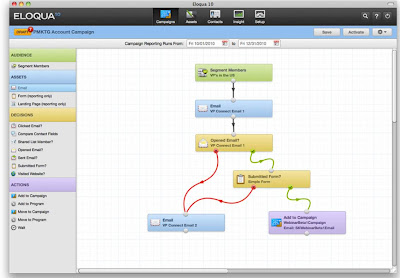
This has the advantage of displaying the exact flow of leads, including branches that split apart and come together. It allows complex flows and is pretty much the way that most people diagram a campaign when they're planning it. But flow diagrams get confusing once you move beyond a handful of branches.
The other option is to build a list of steps without any branching. Rules within each step can still deliver different treatments to different segments, but everyone moves to the same next step at the same time. This is easier to follow but it lacks flexibility and you must look inside each step to see the details. Here is Marketo’s version:

DemandCenter lies somewhere in between. It lays out the steps within a single sequence on a row – similar to the list of steps but sideways. But it also allows distinct branches, showing each branch as its own row. This isn't perfect – you can’t draw lines to connect different boxes across branches, as in a flow diagram – but it’s probably more intuitive than the other approaches for moderately complex flows. Users can also collapse an entire, multi-branch campaign onto a single row and show multiple campaigns on the screen.
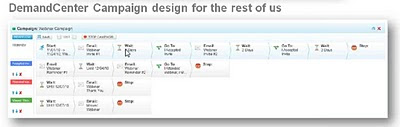
(Of course, nothing is truly unique. DemandCenter’s approach is conceptually similar to the interface introduced by Silverpop last year, which also showed branches as horizontal tracks. I liked that one too.)
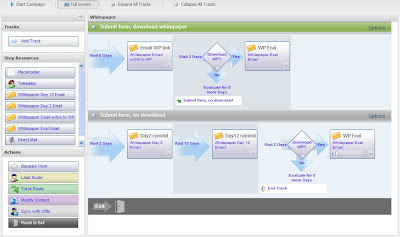
So let's grant that eTrigue has built a somewhat better mousetrap. How much does it really matter? The campaign interface is just one of many components within a marketing automation system. A better campaign interface by itself is not enough to radically change the complexity of marketing automation as a whole.
Now, if all DemandCenter features were easier than the competition, that might change things. But while the rest of DemandCenter is well designed, nothing struck me as different enough to make a substantial difference in usability. So if superior ease of use is the only way for eTrigue to distinguish itself, it will have a very hard time.
But marketing automation systems actually compete on more than ease of use. eTrigue’s original product was originally developed in 2004/2005 by Silicon Valley marketing agency 3marketeers, which couldn’t find a system that met its own needs. The system has since been sold to about 150 clients. This long experience has led eTrigue to include capabilities that are missing in most low-to-mid-tier marketing automation products. These include:
- anonymous visitor look-up, based on IP address, with automatic exclusion of ISP addresses
- reporting on anonymous visitors as individuals (not companies) and indefinite retention of anonymous visitor histories (most systems erase the related cookies after a few months)
- real-time sales alerts triggered by lead behaviors
- ability to send leads directly from one campaign to another
- statistics for each campaign step visible in the campaign flow diagram
- a cube-based data mart for time-series analysis and other advanced reporting
- automated execution of reports on user-defined schedules
- precise user- and group-level security, including options to limit specific campaigns to specific users
- ability for Salesforce.com users to send emails through eTrigue
- tailored dashboards for each user
These are in addition to the usual marketing automation functions: email campaigns, landing pages and forms, lead scoring, and bi-directional integration with both Salesforce.com and Microsoft Dynamics.
That's a richer feature set than most marketing automation systems targeted towards the small and mid-size business. But pricing of DemandCenter is actually lower than most vendors in that segment, starting at $1,000 per month for a 10,000 name database. This includes implementation and training. The combination of mature features, a new interface, and low pricing makes eTrigue an attractive alternative even if it doesn’t break any major barriers for ease of use.
eTrigue also has a product aimed at salespeople, called SalesPro. This works directly from a Salesforce.com database, using the Salesforce.com email engine but applying eTrigue email authoring, campaign structures, Web tracking, and lead scores. The system doesn't include landing pages. It's priced at $500 per month for 10 users.
eTrigue officially announced its new DemandCenter marketing automation system on Tuesday, replacing an earlier product dating back more than five years.
The system is positioned as “marketing automation for the rest of us”, meaning that eTrigue considers it much easier to use than leading marketing automation products. If that sounds familiar, it’s because I recently mentioned similar claims from Net-Results , Act-On Software, and tMarketbright. All believe that the complexity of standard marketing systems is the major reason they have not been more widely adopted and that they can offer a simpler alternative.
Bear in mind that’s a two-part proposition. Even if these vendors are right that complexity is the key barrier to adoption, there’s no business opportunity unless their systems are simpler. Otherwise, they’ve simply explained why marketing automation can never succeed, or at least won’t succeed until a critical mass of marketers have been trained to handle a new level of complexity.
So let’s cut to the critical question: is DemandCenter easier to use than systems like Pardot, Marketo, and Genius? The answer is a definite…maybe. DemandCenter has a campaign flow interface that does seem easier to use than standard products. But the rest of it, while nicely done, doesn’t strike me as materially different.
What makes the campaign builder different? Well, most systems use some variation of two basic approaches. One is to create a classic branching flow diagram, like a Visio chart. Here’s a state-of-the-art version from Eloqua:

This has the advantage of displaying the exact flow of leads, including branches that split apart and come together. It allows complex flows and is pretty much the way that most people diagram a campaign when they're planning it. But flow diagrams get confusing once you move beyond a handful of branches.
The other option is to build a list of steps without any branching. Rules within each step can still deliver different treatments to different segments, but everyone moves to the same next step at the same time. This is easier to follow but it lacks flexibility and you must look inside each step to see the details. Here is Marketo’s version:

DemandCenter lies somewhere in between. It lays out the steps within a single sequence on a row – similar to the list of steps but sideways. But it also allows distinct branches, showing each branch as its own row. This isn't perfect – you can’t draw lines to connect different boxes across branches, as in a flow diagram – but it’s probably more intuitive than the other approaches for moderately complex flows. Users can also collapse an entire, multi-branch campaign onto a single row and show multiple campaigns on the screen.

(Of course, nothing is truly unique. DemandCenter’s approach is conceptually similar to the interface introduced by Silverpop last year, which also showed branches as horizontal tracks. I liked that one too.)

So let's grant that eTrigue has built a somewhat better mousetrap. How much does it really matter? The campaign interface is just one of many components within a marketing automation system. A better campaign interface by itself is not enough to radically change the complexity of marketing automation as a whole.
Now, if all DemandCenter features were easier than the competition, that might change things. But while the rest of DemandCenter is well designed, nothing struck me as different enough to make a substantial difference in usability. So if superior ease of use is the only way for eTrigue to distinguish itself, it will have a very hard time.
But marketing automation systems actually compete on more than ease of use. eTrigue’s original product was originally developed in 2004/2005 by Silicon Valley marketing agency 3marketeers, which couldn’t find a system that met its own needs. The system has since been sold to about 150 clients. This long experience has led eTrigue to include capabilities that are missing in most low-to-mid-tier marketing automation products. These include:
- anonymous visitor look-up, based on IP address, with automatic exclusion of ISP addresses
- reporting on anonymous visitors as individuals (not companies) and indefinite retention of anonymous visitor histories (most systems erase the related cookies after a few months)
- real-time sales alerts triggered by lead behaviors
- ability to send leads directly from one campaign to another
- statistics for each campaign step visible in the campaign flow diagram
- a cube-based data mart for time-series analysis and other advanced reporting
- automated execution of reports on user-defined schedules
- precise user- and group-level security, including options to limit specific campaigns to specific users
- ability for Salesforce.com users to send emails through eTrigue
- tailored dashboards for each user
These are in addition to the usual marketing automation functions: email campaigns, landing pages and forms, lead scoring, and bi-directional integration with both Salesforce.com and Microsoft Dynamics.
That's a richer feature set than most marketing automation systems targeted towards the small and mid-size business. But pricing of DemandCenter is actually lower than most vendors in that segment, starting at $1,000 per month for a 10,000 name database. This includes implementation and training. The combination of mature features, a new interface, and low pricing makes eTrigue an attractive alternative even if it doesn’t break any major barriers for ease of use.
eTrigue also has a product aimed at salespeople, called SalesPro. This works directly from a Salesforce.com database, using the Salesforce.com email engine but applying eTrigue email authoring, campaign structures, Web tracking, and lead scores. The system doesn't include landing pages. It's priced at $500 per month for 10 users.
Wednesday, March 09, 2011
Act-On Software Stresses Ease of Use
Summary: Act-On Software’s revised system offers a reasonable mix of features in an easy-to-use interface. At $500 per month with no annual contract, it’s priced to make it easy to get started with marketing automation.
I started last week to write a review of Act-On Software’s latest release but got distracted by the larger and sexier question of Act-On’s business strategy. So let me try again.
The new release is designed for marketers who want to start using the system with little or no training. The home page all but screams as much, with a huge central panel of “quick start” links to different types of projects. These include:
- outbound marketing programs (e-mail campaigns, events & webinars, and automated programs)
- program components (Web forms, landing pages, list management, media library)
- traffic monitoring (Twitter dashboard, Website visitors)

This mix of programs, components, and monitoring may be logically inconsistent, but it serves the practical purpose of giving marketers one-click access to common tasks. The section for each task continues this approach by combining all task-related functions including set-up, execution and reporting. By contrast, other systems often put reporting in a separate area.
The actual functions provided by Act-On are generally competitive with low-to-mid tier marketing automation products. Of course, every system has its own mix of strengths and weaknesses. In Act-On's case, unusual advantages include:
- “smart” content blocks that can be embedded like widgets in emails and Web pages. These include calendars, Webex invitations, surveys, payments via Paypal, and SMS alerts when a link is clicked.
- unusually close Webex integration, including direct posting of Act-On invitation forms to Webex registration lists and automatic import of attendee lists from Webex into Act-On.
- a “Twitter prospector” that executes automated searches, weeds out spam posts (identified by third-party links within the post), sends the remaining results to an in-box for review, and lets users apply standard templates to create replies.
- Web analytics based on user-assigned page names, so tracking can work without building codes into the URL structure
The system has some other strengths that are less unusual, but still hard to find:
- anonymous visitor tracking based on IP address lookup, with automated integration into Jigsaw to look up contact names and automated alerts for visits from named accounts. While some other system provide this, many marketing automation vendors rely on third-party products instead.
- tracking within Act-On emails sent through Microsoft Outlook. Such emails would otherwise be invisible to the marketing automation system.
- sequential campaign flows with conditional actions in each step and “early exit” conditions that can remove leads from the flow at any step. Most marketing automation systems offer conditional actions, which let the system send different messages to different lead segments. But an early exit rule is harder to find.
- a preinstalled library of stock images, such as form buttons. This simplifies content creation.
Act-On has also retained its list-oriented approach to the marketing database. This lets users manage the database as if it were a set of separate lists. (In reality, Act-On actually does store the leads in a traditional database. The same lead can belong to multiple lists.) Act-On can also push or pull data to Salesforce.com on a list-by-list basis, which gives users more control than moving all records at once. I've never seen the benefits of the list-based approach, but Act-On says its clients find it easier to grasp than traditional segments.
Act-On does have some weaknesses compared with most other products. These include limits on lead scoring and lack of progressive profiling.
As for that user interface: it's certainly attractive and does look easy, although I can't say whether it's substantially simpler than the competition. My general feeling remains that any initial advantage in ease of use quickly becomes irrelevant as marketers gain experience. After that, what really matters is having a system with the capabilities that match your needs. So any selection decision should consider long-term requirements in addition to the interface.
Pricing of Act-On starts at $500 per month, which is low for a mid-tier marketing automation product although it's limited to three users and 10,000 active contacts (plus an unlimited number of inactive contacts). No long-term contract is required and a 14 day free trial is available. Act-On has over 200 clients.
I started last week to write a review of Act-On Software’s latest release but got distracted by the larger and sexier question of Act-On’s business strategy. So let me try again.
The new release is designed for marketers who want to start using the system with little or no training. The home page all but screams as much, with a huge central panel of “quick start” links to different types of projects. These include:
- outbound marketing programs (e-mail campaigns, events & webinars, and automated programs)
- program components (Web forms, landing pages, list management, media library)
- traffic monitoring (Twitter dashboard, Website visitors)

This mix of programs, components, and monitoring may be logically inconsistent, but it serves the practical purpose of giving marketers one-click access to common tasks. The section for each task continues this approach by combining all task-related functions including set-up, execution and reporting. By contrast, other systems often put reporting in a separate area.
The actual functions provided by Act-On are generally competitive with low-to-mid tier marketing automation products. Of course, every system has its own mix of strengths and weaknesses. In Act-On's case, unusual advantages include:
- “smart” content blocks that can be embedded like widgets in emails and Web pages. These include calendars, Webex invitations, surveys, payments via Paypal, and SMS alerts when a link is clicked.
- unusually close Webex integration, including direct posting of Act-On invitation forms to Webex registration lists and automatic import of attendee lists from Webex into Act-On.
- a “Twitter prospector” that executes automated searches, weeds out spam posts (identified by third-party links within the post), sends the remaining results to an in-box for review, and lets users apply standard templates to create replies.
- Web analytics based on user-assigned page names, so tracking can work without building codes into the URL structure
The system has some other strengths that are less unusual, but still hard to find:
- anonymous visitor tracking based on IP address lookup, with automated integration into Jigsaw to look up contact names and automated alerts for visits from named accounts. While some other system provide this, many marketing automation vendors rely on third-party products instead.
- tracking within Act-On emails sent through Microsoft Outlook. Such emails would otherwise be invisible to the marketing automation system.
- sequential campaign flows with conditional actions in each step and “early exit” conditions that can remove leads from the flow at any step. Most marketing automation systems offer conditional actions, which let the system send different messages to different lead segments. But an early exit rule is harder to find.
- a preinstalled library of stock images, such as form buttons. This simplifies content creation.
Act-On has also retained its list-oriented approach to the marketing database. This lets users manage the database as if it were a set of separate lists. (In reality, Act-On actually does store the leads in a traditional database. The same lead can belong to multiple lists.) Act-On can also push or pull data to Salesforce.com on a list-by-list basis, which gives users more control than moving all records at once. I've never seen the benefits of the list-based approach, but Act-On says its clients find it easier to grasp than traditional segments.
Act-On does have some weaknesses compared with most other products. These include limits on lead scoring and lack of progressive profiling.
As for that user interface: it's certainly attractive and does look easy, although I can't say whether it's substantially simpler than the competition. My general feeling remains that any initial advantage in ease of use quickly becomes irrelevant as marketers gain experience. After that, what really matters is having a system with the capabilities that match your needs. So any selection decision should consider long-term requirements in addition to the interface.
Pricing of Act-On starts at $500 per month, which is low for a mid-tier marketing automation product although it's limited to three users and 10,000 active contacts (plus an unlimited number of inactive contacts). No long-term contract is required and a 14 day free trial is available. Act-On has over 200 clients.
The Pond Just Got More Crowded: Google, Salesforce.com and Sequoia Invest in HubSpot
Summary: HubSpot announced a $32 million investment yesterday by Sequoia Partners, Google and Salesforce.com. This could be a real game-changer in the small business marketing automation landscape.
If you heard a loud thud late Tuesday afternoon, it was the sound of two shoes dropping. Salesforce.com and Google announced their long-anticipated entry into the marketing automation industry, in the baby-step form of investments in HubSpot. The $32 million fourth round of funding was led by Sequoia Capital, which apparently provided most of the money (numbers were not announced). It followed $33 million in earlier funding since the company was founded in 2006.
In many ways, this investment strikes me as more significant than last year’s acquisitions of Unica by IBM and of Aprimo by Teradata, which were widely touted as “validating” the concept marketing automation and involved vastly more money ($1 billion combined). Both Unica and Aprimo were long-established vendors with fundamentally stable products sold primarily to large enterprises: although their new owners may market them more broadly, they’ll be selling pretty much what IBM and Teradata always sold (big systems) to pretty much the same customers (big companies). Even the most ambitious vision articulated by the vendors – radically more integrated, analytically-driven marketing management – won’t really change their sector of the marketing automation industry.
But HubSpot plays in a different pond, where the frogs are more numerous and much livelier. It’s selling to small and mid-size companies and business-to-business marketers, who are just dipping their toes into marketing automation. It’s not yet clear which vendors will dominate the industry or what form the successful systems will take. And the current frogs are all small enough that a powerful newcomer could displace them, especially if it had a natural entry point such as, oh, Google AdWords or Salesforce.com’s CRM system.
During the analyst call that followed the announcement, HubSpot co-founders Brian Halligan and Dharmesh Shah made quite clear that they hoped to leverage the Google and Salesforece.com relationships in just this way. This will involve tighter technical integration with both Google and Saleforce.com, and apparently some marketing to the Salesforce.com customer base.
Of course, the entry of Salesforce.com as a direct competitor has long been the worst nightmare of B2B marketing automation vendors, who exist largely because Salesforce.com doesn’t give marketers what they need. A viable marketing solution within Salesforce.com would preempt many purchases of a separate marketing automation system in companies where Salesforce.com is already in place.
Yesterday’s announcement doesn’t mean the nightmare has come true – this is a small investment by Salesforce.com, not an acquisition, and it’s quite clear that HubSpot intends to go public on its own. But if Salesforce.com likes what it sees, who knows where that will lead? The same goes for Google, although Google Venture Partner Rich Miner went out of his way during the analyst call to say that the Google investment was financial (i.e., intended to make money on its own) rather than strategic (i.e., intended to extend Google’s own business).
All this is good and kudos to HubSpot for getting this far and landing such powerful partners. The company also deserves praise for articulating a sound vision of future growth through expanded product features. This is as close as you can reasonably expect them to come to acknowledging that the existing HubSpot is far from a complete marketing automation solution. (See my December 2009 post for a more detailed discussion of HubSpot's capabilities; basically, they are still pretty weak in outbound email, lead scoring, and nurturing, which are all core components of standard B2B marketing automation. They also lack integrated CRM features – a hallmark of small business marketing automation – although the Salesforce.com connection probably makes that moot.)
Yet something really bothered me about yesterday’s announcement. HubSpot has always been quite clear that it is focused on small-to-mid-size businesses and that it offers “inbound marketing” rather than traditional marketing automation. In fact, it has always been highly dismissive of traditional outbound marketing as essentially obsolete – a claim it repeated again yesterday.
Despite this background, yesterday’s announcement positioned the firm’s competitors as the mid-to-large company B2B marketing automation vendors, listing Eloqua, Marketo, Genius, Manticore Technology, and Neolane by name. This wasn’t a casual comment – the press release twice called the HubSpot a marketing industry “leader” and included a pie chart showing “over 50% Market Share”, a claim that is only true if you (a) count clients, not revenue (an absurd mixing of apples and oranges in this case) and (b) ignore HubSpot’s most direct competitors, the other small business marketing automation vendors including Infusionsoft (6,000+ customers vs. HubSpot’s 4,000+) and OfficeAutoPilot (2,000+ customers). [Note: comments from Infusionsoft and HubSpot, posted below, suggest those vendors may compete less than I thought when I wrote this. But I still think excluding them from the analysis is wrong.]
If you heard a loud thud late Tuesday afternoon, it was the sound of two shoes dropping. Salesforce.com and Google announced their long-anticipated entry into the marketing automation industry, in the baby-step form of investments in HubSpot. The $32 million fourth round of funding was led by Sequoia Capital, which apparently provided most of the money (numbers were not announced). It followed $33 million in earlier funding since the company was founded in 2006.
In many ways, this investment strikes me as more significant than last year’s acquisitions of Unica by IBM and of Aprimo by Teradata, which were widely touted as “validating” the concept marketing automation and involved vastly more money ($1 billion combined). Both Unica and Aprimo were long-established vendors with fundamentally stable products sold primarily to large enterprises: although their new owners may market them more broadly, they’ll be selling pretty much what IBM and Teradata always sold (big systems) to pretty much the same customers (big companies). Even the most ambitious vision articulated by the vendors – radically more integrated, analytically-driven marketing management – won’t really change their sector of the marketing automation industry.
But HubSpot plays in a different pond, where the frogs are more numerous and much livelier. It’s selling to small and mid-size companies and business-to-business marketers, who are just dipping their toes into marketing automation. It’s not yet clear which vendors will dominate the industry or what form the successful systems will take. And the current frogs are all small enough that a powerful newcomer could displace them, especially if it had a natural entry point such as, oh, Google AdWords or Salesforce.com’s CRM system.
During the analyst call that followed the announcement, HubSpot co-founders Brian Halligan and Dharmesh Shah made quite clear that they hoped to leverage the Google and Salesforece.com relationships in just this way. This will involve tighter technical integration with both Google and Saleforce.com, and apparently some marketing to the Salesforce.com customer base.
Of course, the entry of Salesforce.com as a direct competitor has long been the worst nightmare of B2B marketing automation vendors, who exist largely because Salesforce.com doesn’t give marketers what they need. A viable marketing solution within Salesforce.com would preempt many purchases of a separate marketing automation system in companies where Salesforce.com is already in place.
Yesterday’s announcement doesn’t mean the nightmare has come true – this is a small investment by Salesforce.com, not an acquisition, and it’s quite clear that HubSpot intends to go public on its own. But if Salesforce.com likes what it sees, who knows where that will lead? The same goes for Google, although Google Venture Partner Rich Miner went out of his way during the analyst call to say that the Google investment was financial (i.e., intended to make money on its own) rather than strategic (i.e., intended to extend Google’s own business).
All this is good and kudos to HubSpot for getting this far and landing such powerful partners. The company also deserves praise for articulating a sound vision of future growth through expanded product features. This is as close as you can reasonably expect them to come to acknowledging that the existing HubSpot is far from a complete marketing automation solution. (See my December 2009 post for a more detailed discussion of HubSpot's capabilities; basically, they are still pretty weak in outbound email, lead scoring, and nurturing, which are all core components of standard B2B marketing automation. They also lack integrated CRM features – a hallmark of small business marketing automation – although the Salesforce.com connection probably makes that moot.)
Yet something really bothered me about yesterday’s announcement. HubSpot has always been quite clear that it is focused on small-to-mid-size businesses and that it offers “inbound marketing” rather than traditional marketing automation. In fact, it has always been highly dismissive of traditional outbound marketing as essentially obsolete – a claim it repeated again yesterday.
Despite this background, yesterday’s announcement positioned the firm’s competitors as the mid-to-large company B2B marketing automation vendors, listing Eloqua, Marketo, Genius, Manticore Technology, and Neolane by name. This wasn’t a casual comment – the press release twice called the HubSpot a marketing industry “leader” and included a pie chart showing “over 50% Market Share”, a claim that is only true if you (a) count clients, not revenue (an absurd mixing of apples and oranges in this case) and (b) ignore HubSpot’s most direct competitors, the other small business marketing automation vendors including Infusionsoft (6,000+ customers vs. HubSpot’s 4,000+) and OfficeAutoPilot (2,000+ customers). [Note: comments from Infusionsoft and HubSpot, posted below, suggest those vendors may compete less than I thought when I wrote this. But I still think excluding them from the analysis is wrong.]

Here’s what I consider a more realistic view of the market:
- Based on revenue, HubSpot had less than 7% of the B2B marketing automation market in 2010 ($15 million HubSpot revenue vs. $225 million total) (see my post of January 11, 2011) and an even smaller fraction if you include B2C marketing automation.
- Based on client counts, adding Infusionsoft and OfficeAutoPilot reduces HubSpot’s share to about 25% (data from our B2B Marketing Automation Vendor Selection Tool).
- The small business vendors, including Infusionsoft, OfficeAutoPilot,It's those firms, and other small-business-focused competitors including Act-On Software, Net-Results, and Marketbright, who have the most to fear from HubSpot.
Now, I wasn’t born yesterday and am rarely upset to see a company spin the facts in its favor. In fact, as a marketer myself, I have a grudging admiration for people who do it deftly. But a distortion this large really bothers me. I could say that’s because it harms the market by confusing people, but I think the real reason is more visceral: it insults my own intelligence and that of everyone else who is apparently expected to believe it. What’s even sadder is these particular claims are totally unnecessary: HubSpot is a strong company with a solid product and excellent story. It doesn't need exaggeration.
I’ve also found HubSpot to be quite open and honest in the past, which makes this all the more puzzling. I hope it’s just an aberration.
One other point from today: in a related blog post, Brian Halligan gives some insight into HubSpot’s business strategy and the reasons for this round of funding. I’ve no complaints about any of it. But there’s an intriguing graphic that shows HubSpot’s lead sources – intended to illustrate how HubSpot “eats our own dog-food” through inbound marketing. Am I reading this wrong, or does it show that (bad, obsolete, interruptive) email is their largest source of business, while organic search and social media barely register? Now THAT's what I call openness.

Tuesday, March 08, 2011
Webinar this Friday - 5 Things You Must Consider Before Purchasing Marketing Automation
This Friday I'll be presenting a 45 minute free Webinar, sponsored by Focus.com and hosted by the ever-popular Adam Needles, on preparing for a successful marketing automation deployment.
You can register here. Details below:
Friday, March 11, 2011
10:00AM PST / 1:00PM EST
There’s plenty of information on why you need to buy marketing automation and, as statistics show, many marketing organizations (big and small) are jumping on board. But this webinar isn’t about why you should buy marketing automation – that’s been discussed at length by everyone in the business. Instead, Focus Expert David Raab will dive deeper to tell you the “how,” the “who,” the “when” and whether you are ready to automate your marketing in the first place. David will cover a number of factors to consider to know before you buy, including:
• The non-technology factors you must have in place to be successful
• Why your lead management program should drive your implementation
• How to organize the marketing department for success
f you’re interested but can’t attend the live event, register today and we will send you a link to the on-demand archive when available.
Friday, March 04, 2011
Are We Making Marketing Automation Harder Than Necessary?
Summary: Is stressing the need for process change making marketing automation too complicated, or a recognition of what it really takes for success? Vendors take both sides of the argument. So did Aesop: see The Tortoise and the Hare.
Act-On Software officially relaunched its system earlier this week, offering a new interface and a new positioning. The interface is perfectly nice but the positioning is ultimately more important. The company’s press release puts the key claim succinctly: “The Act-On Integrated Marketing Platform disrupts the conventional wisdom that companies need marketing automation solutions that are expensive, complex, and require significant services engagements to get them up and running.”
I’m not sure that whoever speaks for “conventional wisdom” would agree that marketing automation solutions must be expensive and complex. My own position (loosely paraphrasing Einstein) is it should be as complicated and costly as necessary, but not more.
However, the real meat of that statement is the third item: “significant services engagements”. This refers to the idea that marketing automation must accompanied by comprehensive planning and process engineering, which often require external assistance. The oracles of conventional wisdom would probably agree. I know I do.
Act-On begs to differ. Their belief, outlined to me in January by Sales VP Shawn Naggiar and CMO David Applebaum, is that most marketers just want to get things done immediately with existing resources. Of course, no one could argue with that – we all want something for nothing. The real question is whether marketing automation can actually deliver value without marketers making a more substantial investment. Act-On is betting that they can, especially if aided by software that’s designed to make easy things simple. The company just received $4 million in funding from others willing to share the bet, on top of an initial $2.5 million.
It would be easy to dismiss Act-On’s proposition as something between wishful thinking and pandering, right up there with diet-free weight loss. But I’ve heard almost exactly the same argument recently from other vendors including Net-Results, Marketbright, and, to lesser extent, Genius.com. All cite the need for an intermediate step between the simplicity of email-only systems and the complexity of full-blown marketing automation. They see closing this gap as the critical requirement in spreading marketing automation to the masses, and as a great business opportunity for themselves. When so many smart people reach the same conclusion, it's worth serious consideration.
On the other hand, the vendors with the greatest success to date have stressed the importance of process. This is true not just at the high end of the market, but also at the low end, where Infusionsoft, OfficeAutoPilot and HubSpot all make huge efforts to educate and cajole their clients into using their systems fully.
Infusionsoft and OfficeAutoPilot are selling to much smaller businesses than Act-On, Net-Results, and the new Marketbright. Still, it's interesting that vendors at both ends of the spectrum have found that process focus is essential. Maybe success requirements are really different in the middle – but I’d say the burden of proof is on those making that claim.
If I want to start a good argument, I should probably end this post here. Drawing clear battle lines between vendors who believe in process and those who don't should certainly prompt some response.
But that wouldn’t be fair to either side. The process-oriented vendors do strive to make it easy to get started, and the start-up-oriented vendors do expect their clients’ processes to mature over time. And, while Act-On, Net-Results, Marketbright, and Genius all argue that their systems are substantially easier to use than products like Pardot, Marketo and LoopFuse, those vendors surely disagree. My own (fair but wimpy) opinion is that there are significant differences among individual systems but neither group is generally easier or more powerful than the other. Users have to do the hard work of matching the system to their particular needs and style. Eat your spinach.
That said, the role of process is an important and worthwhile subject for debate. The greatest danger I see facing the B2B marketing automation industry is that it will develop a reputation for failure. This is exactly what happened to CRM systems when people started to think that simply purchasing one was a guarantee of success. It took a long time and much hard work for the industry to overcome the stigma of the resulting failures. They have now established that careful planning and disciplined deployment are essential for clients to receive real benefits.
Perhaps we're doomed to repeat this history. It's the "trough of despair" in the hype cycle. But we can at least try to avoid it. My position is this: marketers can start small with their automation systems, but they should still go into the project recognizing that real value requires substantial change. Ignoring this reality is bad for everyone.
Act-On Software officially relaunched its system earlier this week, offering a new interface and a new positioning. The interface is perfectly nice but the positioning is ultimately more important. The company’s press release puts the key claim succinctly: “The Act-On Integrated Marketing Platform disrupts the conventional wisdom that companies need marketing automation solutions that are expensive, complex, and require significant services engagements to get them up and running.”
I’m not sure that whoever speaks for “conventional wisdom” would agree that marketing automation solutions must be expensive and complex. My own position (loosely paraphrasing Einstein) is it should be as complicated and costly as necessary, but not more.
However, the real meat of that statement is the third item: “significant services engagements”. This refers to the idea that marketing automation must accompanied by comprehensive planning and process engineering, which often require external assistance. The oracles of conventional wisdom would probably agree. I know I do.
Act-On begs to differ. Their belief, outlined to me in January by Sales VP Shawn Naggiar and CMO David Applebaum, is that most marketers just want to get things done immediately with existing resources. Of course, no one could argue with that – we all want something for nothing. The real question is whether marketing automation can actually deliver value without marketers making a more substantial investment. Act-On is betting that they can, especially if aided by software that’s designed to make easy things simple. The company just received $4 million in funding from others willing to share the bet, on top of an initial $2.5 million.
It would be easy to dismiss Act-On’s proposition as something between wishful thinking and pandering, right up there with diet-free weight loss. But I’ve heard almost exactly the same argument recently from other vendors including Net-Results, Marketbright, and, to lesser extent, Genius.com. All cite the need for an intermediate step between the simplicity of email-only systems and the complexity of full-blown marketing automation. They see closing this gap as the critical requirement in spreading marketing automation to the masses, and as a great business opportunity for themselves. When so many smart people reach the same conclusion, it's worth serious consideration.
On the other hand, the vendors with the greatest success to date have stressed the importance of process. This is true not just at the high end of the market, but also at the low end, where Infusionsoft, OfficeAutoPilot and HubSpot all make huge efforts to educate and cajole their clients into using their systems fully.
Infusionsoft and OfficeAutoPilot are selling to much smaller businesses than Act-On, Net-Results, and the new Marketbright. Still, it's interesting that vendors at both ends of the spectrum have found that process focus is essential. Maybe success requirements are really different in the middle – but I’d say the burden of proof is on those making that claim.
If I want to start a good argument, I should probably end this post here. Drawing clear battle lines between vendors who believe in process and those who don't should certainly prompt some response.
But that wouldn’t be fair to either side. The process-oriented vendors do strive to make it easy to get started, and the start-up-oriented vendors do expect their clients’ processes to mature over time. And, while Act-On, Net-Results, Marketbright, and Genius all argue that their systems are substantially easier to use than products like Pardot, Marketo and LoopFuse, those vendors surely disagree. My own (fair but wimpy) opinion is that there are significant differences among individual systems but neither group is generally easier or more powerful than the other. Users have to do the hard work of matching the system to their particular needs and style. Eat your spinach.
That said, the role of process is an important and worthwhile subject for debate. The greatest danger I see facing the B2B marketing automation industry is that it will develop a reputation for failure. This is exactly what happened to CRM systems when people started to think that simply purchasing one was a guarantee of success. It took a long time and much hard work for the industry to overcome the stigma of the resulting failures. They have now established that careful planning and disciplined deployment are essential for clients to receive real benefits.
Perhaps we're doomed to repeat this history. It's the "trough of despair" in the hype cycle. But we can at least try to avoid it. My position is this: marketers can start small with their automation systems, but they should still go into the project recognizing that real value requires substantial change. Ignoring this reality is bad for everyone.
Wednesday, February 23, 2011
MarketingPilot Offers Integrated Marketing Management for Mid-Size Companies
Yesterday's acquisition of AssetLink by SAS has prompted me to finally write about MarketingPilot, a vendor I've been following since its launch nearly ten years ago.
MarketingPilot started as an operations management tool for mid-size direct marketers, with features for project management, list and media buying, source code tracking, expense capture, and vendor management. Since then it has expanded steadily to encompass the full range of marketing resource management and then gone ahead to add marketing database management and campaign execution. The technology has evolved from Windows-based client server systems – using the Borland Interbase engine, if you want a real whiff from the memory jar – to a mix of on-premise and hosted options.
Average price and client size have also increased steadily, although the focus has remained on mid-size rather than enterprise clients. The company also created special editions for ad agencies, which now provide about 40% of its business. MarketingPilot has about 40 employees and 400 installations with over 15,000 end-users.
With AssetLink (60 employees) now owned by SAS, MarketingPilot also may be the largest remaining independent MRM vendor. I can’t say for sure because there are several companies in the field that I’ve never researched. But it doesn’t really matter, because MarketingPilot is now positioned as an integrated marketing management product. That puts it into roughly the same class as much larger firms including Neolane (200 employees) and Alterian (370 employees).
I say “roughly” because Neolane and Alterian are rooted in the campaign management side of marketing automation, while MarketingPilot is based on marketing resource management. Although the overlap between these products is growing, they are still quite different.
To give you an idea of the scope of MarketingPilot, here is a set of headings from its Web site:
Alerts - Analytics/Performance Measurement - Approvals - Budgets - Calendars - Campaign Management - Collateral Management - Contract Management - CRM - Digital Asset/Document Management - Direct Marketing - Direct Response - Editions - Email Marketing - Enterprise Edition - Enterprise Marketing Management - Estimates - Event Management - Expense Management - Financial Management - Internet/Online Marketing - Inventory Management - Lead Management - List Management - Marketing Automation - Marketing Database - Marketing Plans - Marketing Resource Management - Media Buying and Planning - Multi-currency - Purchasing - Print Production - Reports - Scheduling - Social Media - Solutions - Strategic Planning - Supply Chain/Vendor Management - Time Slips - Trade Shows - Web Portal
This is broader list than you'll see from most marketing automation vendors – a group not known for modest product claims. But even MarketingPilot isn’t all things to all people (yet). Here's a quick inventory of strengths and weaknesses:
- just about any MRM feature you can imagine: planning, budgeting, project management, vendor management, media buying, content management, creative mark-up, approval workflows, etc.
- email, landing page and Web form creation
- high volume email delivery
- social media execution and tracking
- lead distribution and lead scoring based on attributes, but not behaviors
- integrated CRM, with an future option to synchronize with external CRM systems
- marketing database management with separate company and contact levels
- a highly tailorable interface that shows each user only the features they can access (critical in a system with so many options)
- multiple languages, currencies and time zones
- segmentation on contact and company data, with plans for a visual query builder that allows more complex queries against additional tables
- single-step campaign execution, with multi-step campaign flows due later this year
- response reporting, with plans to add ROI calculations
- Google Analytics integration, with expanded Web visitor tracking and analytics using MarketingPilot’s own tags due later this year.
That’s an impressive list, even after recognizing that key marketing automation features are not yet available, including multi-step campaigns, advanced segmentation, Web behavior tracking, behavior-based lead scoring, and ROI calculations. But they’re all promised fairly soon. Once they’re delivered, MarketingPilot will be a viable mid-market option for integrated marketing management.
If somebody doesn’t buy them first.
MarketingPilot started as an operations management tool for mid-size direct marketers, with features for project management, list and media buying, source code tracking, expense capture, and vendor management. Since then it has expanded steadily to encompass the full range of marketing resource management and then gone ahead to add marketing database management and campaign execution. The technology has evolved from Windows-based client server systems – using the Borland Interbase engine, if you want a real whiff from the memory jar – to a mix of on-premise and hosted options.
Average price and client size have also increased steadily, although the focus has remained on mid-size rather than enterprise clients. The company also created special editions for ad agencies, which now provide about 40% of its business. MarketingPilot has about 40 employees and 400 installations with over 15,000 end-users.
With AssetLink (60 employees) now owned by SAS, MarketingPilot also may be the largest remaining independent MRM vendor. I can’t say for sure because there are several companies in the field that I’ve never researched. But it doesn’t really matter, because MarketingPilot is now positioned as an integrated marketing management product. That puts it into roughly the same class as much larger firms including Neolane (200 employees) and Alterian (370 employees).
I say “roughly” because Neolane and Alterian are rooted in the campaign management side of marketing automation, while MarketingPilot is based on marketing resource management. Although the overlap between these products is growing, they are still quite different.
To give you an idea of the scope of MarketingPilot, here is a set of headings from its Web site:
Alerts - Analytics/Performance Measurement - Approvals - Budgets - Calendars - Campaign Management - Collateral Management - Contract Management - CRM - Digital Asset/Document Management - Direct Marketing - Direct Response - Editions - Email Marketing - Enterprise Edition - Enterprise Marketing Management - Estimates - Event Management - Expense Management - Financial Management - Internet/Online Marketing - Inventory Management - Lead Management - List Management - Marketing Automation - Marketing Database - Marketing Plans - Marketing Resource Management - Media Buying and Planning - Multi-currency - Purchasing - Print Production - Reports - Scheduling - Social Media - Solutions - Strategic Planning - Supply Chain/Vendor Management - Time Slips - Trade Shows - Web Portal
This is broader list than you'll see from most marketing automation vendors – a group not known for modest product claims. But even MarketingPilot isn’t all things to all people (yet). Here's a quick inventory of strengths and weaknesses:
- just about any MRM feature you can imagine: planning, budgeting, project management, vendor management, media buying, content management, creative mark-up, approval workflows, etc.
- email, landing page and Web form creation
- high volume email delivery
- social media execution and tracking
- lead distribution and lead scoring based on attributes, but not behaviors
- integrated CRM, with an future option to synchronize with external CRM systems
- marketing database management with separate company and contact levels
- a highly tailorable interface that shows each user only the features they can access (critical in a system with so many options)
- multiple languages, currencies and time zones
- segmentation on contact and company data, with plans for a visual query builder that allows more complex queries against additional tables
- single-step campaign execution, with multi-step campaign flows due later this year
- response reporting, with plans to add ROI calculations
- Google Analytics integration, with expanded Web visitor tracking and analytics using MarketingPilot’s own tags due later this year.
That’s an impressive list, even after recognizing that key marketing automation features are not yet available, including multi-step campaigns, advanced segmentation, Web behavior tracking, behavior-based lead scoring, and ROI calculations. But they’re all promised fairly soon. Once they’re delivered, MarketingPilot will be a viable mid-market option for integrated marketing management.
If somebody doesn’t buy them first.
Subscribe to:
Posts (Atom)